About Orbits
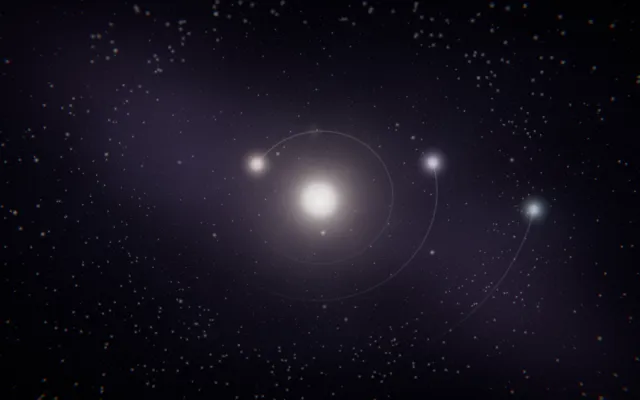
Small planets and luminous bodies travel through a dark, open space.
Their paths describe circles and curves, sometimes passing close together and sometimes separating into the distance. Trails of light make their movement visible, drawing temporary geometries around invisible centres.
Each body seems to belong to a larger system, even when its path is difficult to predict. Orbits is a miniature universe of moving points, circular motion and suspended trajectories, made to be disturbed rather than observed from afar.
What happens when you stay
You can set bodies moving and watch how their paths develop after you release them.
A new movement changes the relationship between the objects already travelling through the space. Some paths feel stable; others create unexpected crossings and near encounters.
As the planets pass, they can give the world its own changing rhythm of sound. Try launching a body and leaving it alone for a while.
The motion continues without you, turning a brief gesture into something that unfolds over time.
Where it comes from
Orbital motion is usually explained through gravity and inertia.
A planet travels around a star because its forward movement continually combines with the gravitational attraction pulling it inward. Depending on its energy and the forces acting upon it, an orbit can be circular, elliptical or part of a more complicated trajectory.
When several bodies interact, even simple systems can produce surprisingly complex behaviour. Orbits takes inspiration from celestial mechanics and the visual language of astronomical diagrams, where invisible forces are made understandable through drawn paths.
It is a playful interpretation of planetary motion rather than an accurate model of the Solar System.
Things to try
- Launch a single planet and follow its path.
- Send another body through the same region.
- Wait for two trajectories to pass close together.
- Listen to the rhythm created by their movement.
How to explore Orbits
You can explore with a mouse, a touch screen or your own hands.
Mouse and keyboard
- Move the pointerguide the planets.
- Hold the mouse buttoncreate a planet and draw its path.
- Release the buttonlaunch it; stay still for a steady orbit.
- Use the wheel or ↑ ↓slow down or speed up time.
Touch
- Move a finger on the sceneguide the planets.
- Keep a finger still for a momentcreate a planet and draw its path.
- Lift your fingerlaunch it; stay still for a steady orbit.
- Spread two fingers or bring them togetherslow down or speed up time.
Hands, with the camera
- Point with your index fingerguide the planets.
- Bring thumb and index together and holdcreate a planet and draw its path.
- Separate thumb and indexlaunch it; stay still for a steady orbit.
- Open your palm or close your fistslow down or speed up time.
A mouse, touch or keyboard is enough. Choosing “Hands” here only shows instructions; it never turns on the camera.