About Mirror
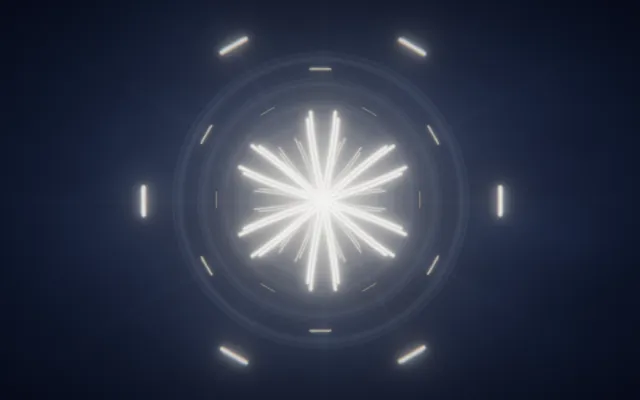
Fragments of light appear around an invisible centre, repeating and rearranging themselves into symmetrical forms.
A single line can become several, unfolding into a pattern that resembles a reflection seen through a fractured mirror. The shapes are precise for a moment, then shift as new movement enters the space.
Mirror is a world of multiplied gestures, geometric reflections and changing symmetry, where the smallest mark can become something unexpectedly elaborate.
What happens when you stay
Move through the field and your gesture is reflected into several parts of the image.
A simple stroke can become a star, a flower-like figure or a more intricate arrangement of intersecting lines. Change direction and the pattern transforms with you, preserving the relationship between the original movement and its reflections.
Try making a small gesture near the centre, then repeat it further away. The world responds by turning individual movements into larger compositions, allowing you to discover forms that would be difficult to draw deliberately.
Where it comes from
A physical mirror reflects light according to the angle at which it reaches the surface.
When several mirrors are arranged at different angles, reflections can repeat to create complex symmetrical patterns. A kaleidoscope uses this principle to transform simple shapes into changing geometric images.
Mirror is also inspired by radial symmetry, found in flowers, snowflakes and many organisms whose parts repeat around a central point. In mathematics and digital art, reflection and rotational symmetry allow a small element to generate a much larger pattern.
Mirror explores this relationship between a single gesture and the many forms it can become when reflected.
Things to try
- Draw a short line near the centre.
- Move outward and watch the reflections spread.
- Change direction to create a different symmetry.
- Try making the smallest possible gesture.
How to explore Mirror
You can explore with a mouse, a touch screen or your own hands.
Mouse and keyboard
- Move the pointerdraw a stroke the mirror repeats.
- Hold the mouse buttonmove the mirror’s centre.
- Release the buttonleave the figure to fade.
- Use the wheel or ↑ ↓more folds, or fewer.
Touch
- Move a finger on the scenedraw a stroke the mirror repeats.
- Keep a finger still for a momentmove the mirror’s centre.
- Lift your fingerleave the figure to fade.
- Spread two fingers or bring them togethermore folds, or fewer.
Hands, with the camera
- Point with your index fingerdraw a stroke the mirror repeats.
- Bring thumb and index together and holdmove the mirror’s centre.
- Separate thumb and indexleave the figure to fade.
- Open your palm or close your fistmore folds, or fewer.
A mouse, touch or keyboard is enough. Choosing “Hands” here only shows instructions; it never turns on the camera.