About Dune
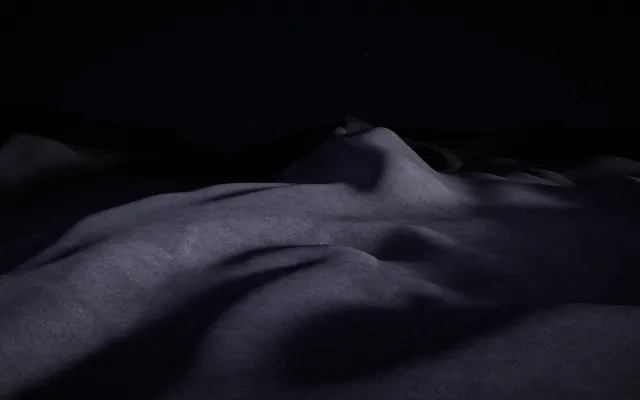
A landscape of fine grains emerges from a low, grazing light.
Ridges rise gently from the surface, while shallow valleys disappear into shadow. Its colours are restrained, allowing the smallest changes in height to become visible.
Dune is made from a shifting field of particles that resembles sand, dust or a surface slowly formed by the wind. There are no fixed landmarks and no obvious destination.
Just a landscape that can change shape.
What happens when you stay
Your movements disturb the surface, gathering grains into new forms and opening paths through the landscape.
As the dust shifts, the light finds different edges to illuminate. A small change can produce a delicate ridge; a longer movement can reshape a larger part of the field.
Leave the surface alone and watch how the movement begins to settle. The landscape carries the traces of your gestures for a while, becoming a record of where the surface has been disturbed and where it has been allowed to rest.
Where it comes from
Sand dunes form when wind moves loose grains across a surface.
Individual particles may roll, slide or bounce in a process known as saltation. As sand accumulates, ridges emerge, often with a gentler windward slope and a steeper sheltered side.
Over time, wind direction, grain size and available sediment create many different dune formations, from simple crescent-shaped dunes to complex networks of ridges. Dune translates this relationship between movement, accumulation and terrain into an interactive landscape.
Rather than reproducing desert physics exactly, it explores the quiet process through which countless small movements can produce a visible shape.
Things to try
- Trace a slow line across the sand.
- Return along the same path and change its shape.
- Make a broader movement and watch the dust respond.
- Stop touching the surface and let it settle.
How to explore Dune
You can explore with a mouse, a touch screen or your own hands.
Mouse and keyboard
- Move the pointerrake the dust lightly; on a touch screen, a finger digs deeper.
- Hold the mouse buttondrag to carve a deep furrow, or stay still to turn the light.
- Release the buttonleave the light where it is and the dust as you shaped it.
- Use the wheel or ↑ ↓nothing changes here: the dust answers only your strokes.
Touch
- Move a finger on the scenerake the dust lightly; on a touch screen, a finger digs deeper.
- Keep a finger still for a momentdrag to carve a deep furrow, or stay still to turn the light.
- Lift your fingerleave the light where it is and the dust as you shaped it.
- Spread two fingers or bring them togethernothing changes here: the dust answers only your strokes.
Hands, with the camera
- Point with your index fingerrake the dust lightly; on a touch screen, a finger digs deeper.
- Bring thumb and index together and holddrag to carve a deep furrow, or stay still to turn the light.
- Separate thumb and indexleave the light where it is and the dust as you shaped it.
- Open your palm or close your fistnothing changes here: the dust answers only your strokes.
A mouse, touch or keyboard is enough. Choosing “Hands” here only shows instructions; it never turns on the camera.