About Eclipse
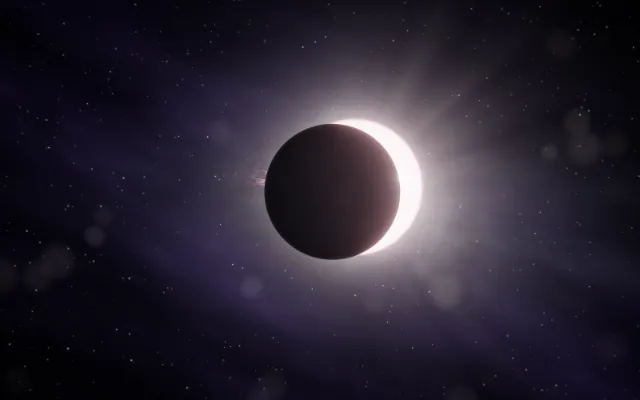
A dark circle rests against a field of light.
Around its edges, a pale corona appears: a fine glow that seems to belong to something hidden behind it. Small traces of light gather, fade and return along the boundary between shadow and brightness.
Nothing is completely still. Eclipse is built from darkness, overlapping forms and layers of luminous particles, creating the impression of an astronomical event held at the moment when one body passes in front of another.
What happens when you stay
The shadow responds to your presence.
Move through the space and the balance between darkness and light begins to shift. The corona changes as more or less of the hidden brightness is revealed.
Stay near the edge and notice how a small movement can transform the surrounding glow. Move away and the image finds another balance.
What first appears to be a single dark shape gradually becomes an encounter between several things: the light, the object that hides it and the space between them.
Where it comes from
A solar eclipse happens when the Moon passes between Earth and the Sun, temporarily blocking some or all of the sunlight.
During a total solar eclipse, the Sun’s corona, its outer atmosphere, becomes visible as a delicate halo extending beyond the Moon’s silhouette. The darkest part of the Moon’s shadow is called the umbra; the lighter surrounding region is the penumbra.
Eclipse takes these relationships between light, alignment and shadow as its starting point. It is not a simulation of a particular celestial event, but an interactive interpretation of something normally witnessed from a distance: the moment when hiding one thing allows another to become visible.
Things to try
- Move slowly across the edge of the shadow.
- Hold your position and watch the corona.
- Explore the difference between a small movement and a wide one.
- Let the light settle before approaching again.
How to explore Eclipse
You can explore with a mouse, a touch screen or your own hands.
Mouse and keyboard
- Move the pointershift the perspective and the depth.
- Hold the mouse buttondrag the shadow and let the light through.
- Release the buttonlet the shadow slowly realign.
- Use the wheel or ↑ ↓widen or gather the corona.
Touch
- Move a finger on the sceneshift the perspective and the depth.
- Keep a finger still for a momentdrag the shadow and let the light through.
- Lift your fingerlet the shadow slowly realign.
- Spread two fingers or bring them togetherwiden or gather the corona.
Hands, with the camera
- Point with your index fingershift the perspective and the depth.
- Bring thumb and index together and holddrag the shadow and let the light through.
- Separate thumb and indexlet the shadow slowly realign.
- Open your palm or close your fistwiden or gather the corona.
A mouse, touch or keyboard is enough. Choosing “Hands” here only shows instructions; it never turns on the camera.