Interactive generative art, explained
A generative artwork is a process rather than a single picture. The artist designs rules, the rules run, and what comes out depends on chance, on where the process started and, in interactive works, on you. This guide explains how such systems work, takes three classic ones apart, separates generative art from AI-generated art, and ends with a sketch you can run and change in a few minutes.
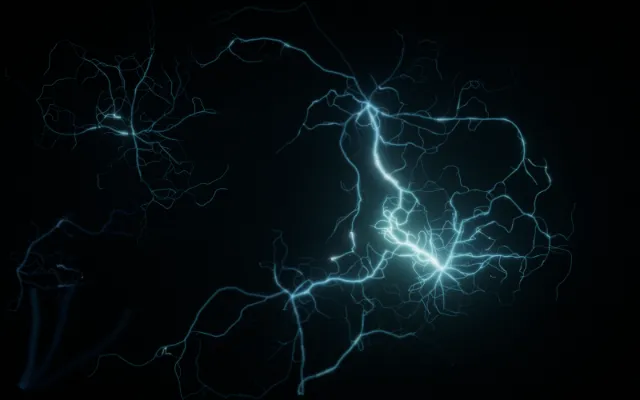
Interactive generative art is art made by a system of rules that runs with some autonomy and responds to what its audience does. The artist designs the rules. When they run, several things shape the result at once: the rules themselves, the conditions the system starts from, a measure of chance, and the input of whoever is in front of it. Silk, where your stroke is mirrored and repeated into a pattern you would not have drawn by hand, is a familiar example. So are particle fields that scatter from your hand, and music machines that keep playing until you touch them.
What "generative" means
The definition most often quoted comes from the artist and researcher Philip Galanter, in his 2003 paper What is Generative Art?. In paraphrase: generative art is any practice in which the artist sets a system in motion, whether a set of written rules, a program, a machine or some other procedure, and that system, with "some degree of autonomy", contributes to or produces the finished work.
Three consequences follow, and each corrects a common assumption.
- It does not need a computer. Sol LeWitt's wall drawings are written instructions that other people carry out; each execution of the same drawing differs slightly. In his "Paragraphs on Conceptual Art" (1967) he wrote that "the idea becomes a machine that makes the art."
- The autonomy is partial. The system decides details the artist did not decide one by one, but the artist chose the rules, the range of values and often the starting point. Chance usually plays a part, but within limits the artist set.
- The output can be static. A plotter drawing from 1965 or a printed edition produced by a program is generative even though the result never moves again. What makes it generative is how it was made, not whether it keeps changing on screen.
Galanter's definition is broad on purpose, and not everyone uses the word the same way. Some artists reserve "generative" for computational work; others stress emergence, where the result shows patterns no single rule describes. The definition above is a useful common ground, not the last word.
A short history of generative art
Generative art is older than most people assume, and decades older than AI image generators.
- Early 1960s. At Bell Labs, A. Michael Noll began making images with a computer and a plotter in 1962.
- 1965. Georg Nees showed computer-generated drawings in Stuttgart in February 1965, often cited as the first exhibition of computer art; Frieder Nake exhibited his own plotter works the same year.
- 1960s onward. Vera Molnár, a painter who had already worked with systematic variations by hand, moved to the computer and became one of the pioneers of the field.
- 1970s. Harold Cohen began developing AARON, a program that made drawings according to rules he kept refining for decades.
- 1970 and 1986. Two systems every creative coder meets appeared: Conway's Game of Life, introduced to the public in Martin Gardner's column in Scientific American in October 1970, and Craig Reynolds's boids, a simulation of flocking from 1986.
- 1990s. Brian Eno popularised the term generative music. The first international Generative Art conference was held in Milan in 1998.
- 2000s onward. Creative coding tools such as Processing and p5.js put generative systems within reach of artists, designers and students, and the browser became a place to show them.
Three systems, taken apart
Generative art is easiest to understand through small systems. None of the three below was made as an artwork, and that is part of the point: an algorithm is not art by itself. It becomes material for art when someone chooses it, frames it, tunes it and decides what a viewer meets. The images are real outputs of these rules, rendered for this guide with fixed seeds.
The Game of Life: behaviour nobody wrote
The rule. A grid of cells, each alive or dead. At every step, each cell counts its eight neighbours. A live cell with two or three live neighbours survives; a dead cell with exactly three comes to life; every other cell dies or stays empty. The mathematician John Conway designed it; Martin Gardner made it famous in 1970.
What happens. From a random start, the grid churns, thins out and settles into a mix of still shapes, shapes that blink, and small shapes that travel across the grid. Nobody wrote "make a travelling shape" anywhere.
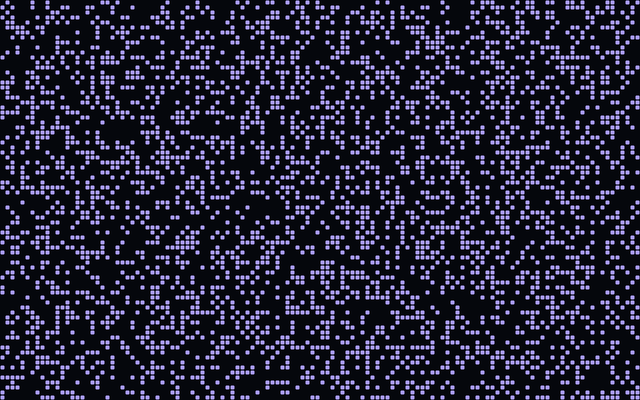
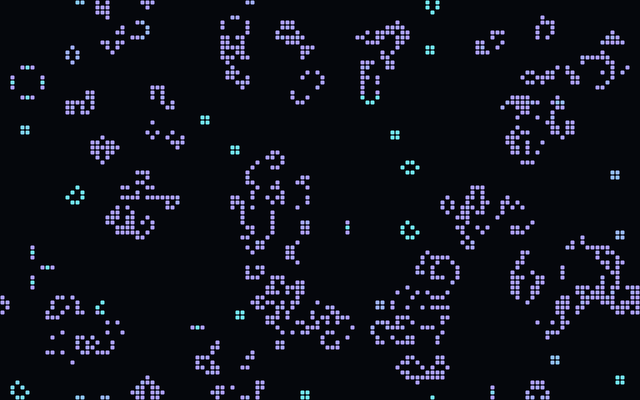
What the creator controls. The rule itself, which is fixed in the classic version, but also everything around it: the starting pattern or its density, the size of the grid, the speed, and how cells are drawn. The cyan for long-lived cells above is a choice, and it changes what you notice.
What a visitor could control. In interactive versions, you draw or erase cells while the system runs and watch the rule take your marks and turn them into something you did not intend. You can also slow it down to see a single step.
Why it matters. It is the clearest demonstration that complex behaviour can emerge from a very short rule, which is the promise most generative work relies on.
10 PRINT: chance with a shape
The rule. On the Commodore 64, one line of BASIC, 10 PRINT CHR$(205.5+RND(1)); : GOTO 10, prints one of two diagonal characters at random, again and again. Nick Montfort and nine co-authors wrote an entire book about this line, published by MIT Press in 2012 and available online.
What happens. The screen fills with what reads as an endless maze. Each choice is a coin toss; the maze comes from the constraint of two characters on a grid.
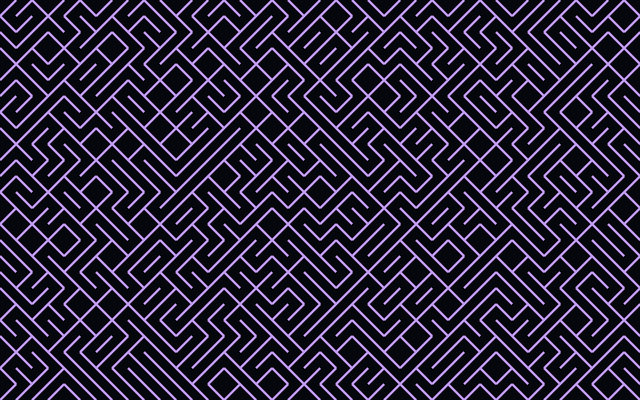
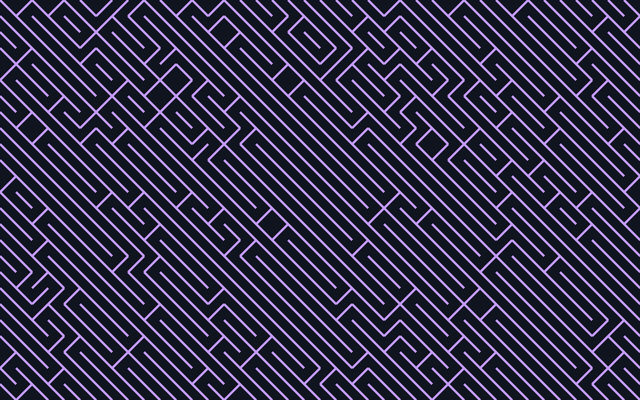
What the creator controls. The two characters, the grid, and the odds. The pair above shows how far one parameter goes: same rule, same random sequence, a different number, a different image.
What a visitor could control. In an interactive version, the odds, the size of the cells or the characters themselves, or a brush that changes the odds in one region of the screen.
Why it matters. It shows that randomness is a material rather than an absence of design. The artist does not choose each mark, but chooses the space that every mark falls into.
Boids: a crowd from local rules
The rule. In 1986 Craig Reynolds gave each simulated bird, a "boid", three steering rules based only on its near neighbours: move away from those too close (separation), match their average heading (alignment), and move towards their average position (cohesion).
What happens. Groups form, travel, split around obstacles and merge again. No boid knows about the flock, yet the flock is what you see.
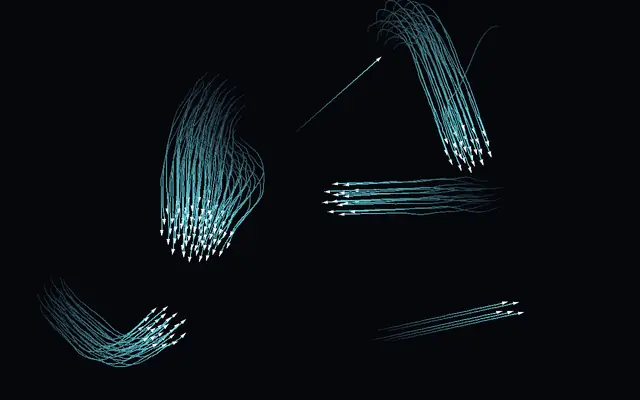
What the creator controls. The weight of each rule, how far a boid can see, its maximum speed, how many there are, and how they are drawn. Small changes in the weights produce tight swarms, loose drifts or chaos.
What a visitor could control. Your pointer or hand can become one more force: a predator to flee, a point to gather around, a current to follow. The crowd's response is the image.
Why it matters. It is the logic behind most interactive particle work: no central plan, many local decisions, and an outside force, you, that the crowd has to take into account.
| System | The rule, in brief | What emerges | Creator's main levers | Where a visitor can step in |
|---|---|---|---|---|
| Game of Life | Count neighbours; survive, die or be born | Still, blinking and travelling shapes | Starting pattern, grid, speed, drawing | Draw or erase cells as it runs |
| 10 PRINT | Pick one of two diagonals at random | A maze nobody designed | Characters, grid, odds | Change the odds, locally or globally |
| Boids | Separation, alignment, cohesion | Flocks that form and split | Rule weights, vision, speed, count | Become a force the flock reacts to |
Where interaction comes in
A generative system can run with no audience at all. It becomes interactive when it takes input while it runs. The artist and researcher Ernest Edmonds has written about this relationship for decades, including a paper on how interaction influences generative work.
There are several ways a visitor can enter a generative process, and most works combine two or three.
- Setting parameters. You change the values the rules use: speed, density, symmetry, colour. The system is the same; its character changes.
- Seeding. You give the system something to start from, a line, a sound, a point, and the rules develop it. Silk works this way: your stroke is the seed and the symmetry does the rest.
- Selecting. You choose among the system's outputs, and it breeds from your choices. In Karl Sims's Galápagos (1997, ICC Tokyo), visitors stood on sensors in front of twelve screens to pick the virtual organisms that would mate and mutate.
- Playing. The system is an instrument. Bloom, by Brian Eno and Peter Chilvers, describes itself as an endless music machine that you can play, or watch play itself.
- Being a force. Your position or gesture enters the system's physics. Particles flee, gather or swirl. This is the most bodily form, and the one most often linked to a camera.
Generative art vs AI-generated art: what is the difference?
The two are often confused, and the debate around AI images makes it harder to talk about either clearly. It helps to separate three kinds of question: what the techniques are, what artists do with them, and how people judge authorship.
The techniques
- Rule-based and procedural systems. The behaviour comes from rules a person wrote: geometric constructions, cellular automata such as the Game of Life, particle physics, grammars that grow plant shapes, noise functions that make terrain. In principle, every step can be read and explained.
- Randomness and emergence. Many of these systems use chance, but chance is drawn from a range the artist set, and the interesting patterns often emerge from interactions between parts rather than from any single rule.
- Machine-learning models. A model is trained on a large dataset and learns statistical patterns from it. What it produces depends on that data and on the training process, which no one writes step by step. Text-to-image generators are one family of such models; there are many others, including small models artists train on their own material.
The two families are not opposites. Generative art has used learned components for a long time, and many AI-based works are generative in Galanter's sense: a system set in motion with some autonomy. Blob Opera, for instance, is an interactive work built around a model of four opera singers' voices that you play by dragging.
The practices
What differs most is often not the technique but what the artist builds.
- Building a system. The artist designs the rules, or trains and wires up a model, and the system is the work. Its outputs are instances of it.
- Using a tool. The artist uses an existing system, whether a drawing app, a filter or an image generator, to make something else. The tool is a means and the work is the result. Painters who use cameras or printers are in this position too.
- Curating outputs. The artist runs a system many times and chooses, edits and sequences the results. Selection is a real part of authorship in both generative and AI-based practice.
A single person can do all three. Someone who writes prompts can also build a pipeline around a model, select carefully and edit heavily; someone who writes code can run a library they did not design.
Questions of authorship
Who is the author when a system makes the details? Answers vary by work and by person, and reasonable people disagree. For rule-based work, the usual view is that the artist authors the system and shares the detail with chance and, in interactive work, with visitors. For large trained models, the debate adds questions about the data the model learned from, the role of the people who built the model, and how much the person using it shapes the result. Those questions do not have a single settled answer, and this guide does not try to give one.
A practical distinction that holds up: in most rule-based generative art, the system can be described completely without reference to other people's images or sounds. In work built on a large pre-trained model, it cannot, because the model's behaviour comes from its training data. That difference is technical and observable, whatever you think about the art.
Your body as input
The input to an interactive generative work can be anything a computer can measure. In browsers, three are common.
Pointer and touch
The mouse, the trackpad and the touch screen give a position and a press. That is already a lot: position can be a force, a press can be a hold, and the release can be an event. Most generative works in the browser are designed for these first.
Microphone
Volume and pitch can drive a system, as in Golan Levin and Zachary Lieberman's voice-reactive performance Messa di Voce (2003). In a browser, the microphone needs your explicit permission.
Camera and hand tracking
With a camera, a model can estimate where parts of your body are. Google's MediaPipe Hand Landmarker returns twenty-one points for each hand it detects: the wrist and the joints of each finger. From those points a program can estimate whether the hand is open or closed, whether finger and thumb are pinched, and where the hand is moving. Those values become parameters of the system.
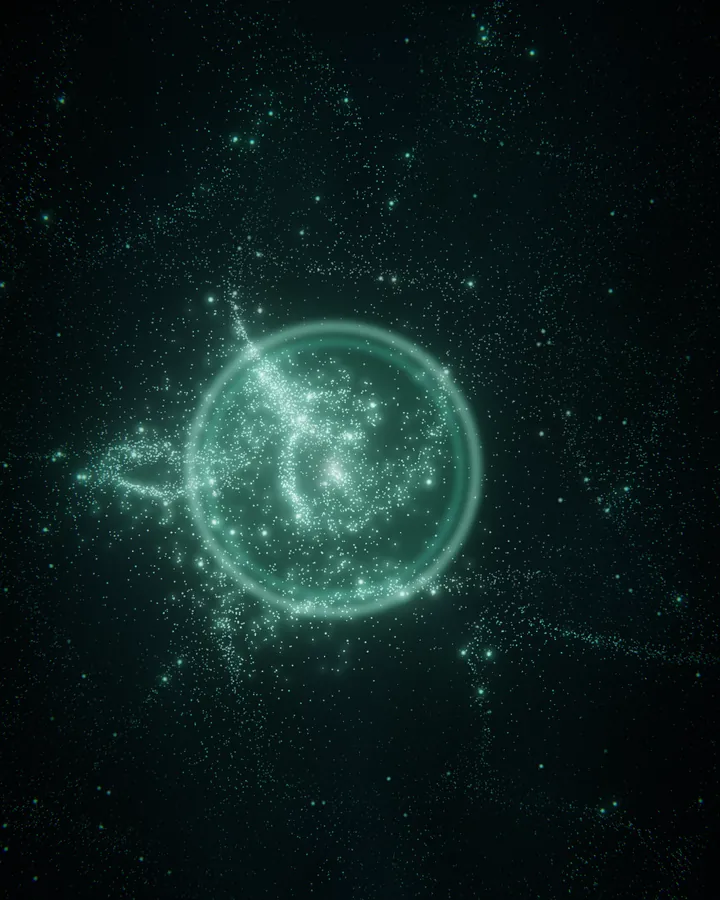

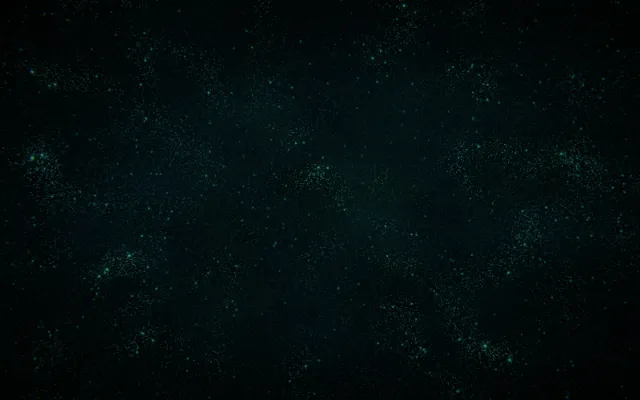
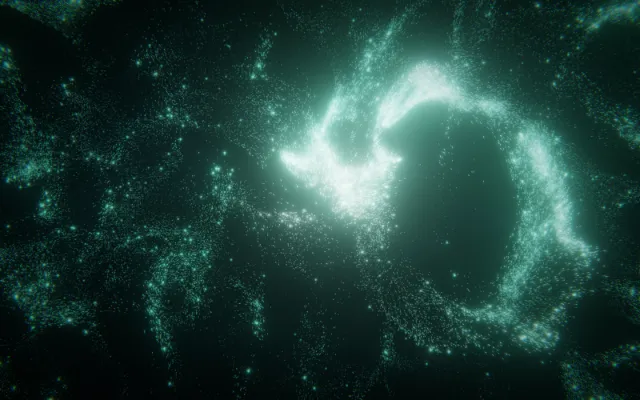
Synfield's worlds use a small vocabulary of this kind, move, hold and release, and the three images above are real captures from them. In Matter, an open hand or a moving pointer pushes the particles and a closed one draws them in; a hold digs a well and a release sends out a wave. In Mycelium the network grows on its own, reaches towards your presence and keeps a fading trace of where you were. Both work with a mouse or a finger; the camera is optional.
Making your own
A small rule can already produce something surprising, which makes this one of the most approachable forms of digital art to try.
- Processing is a programming environment designed for visual artists, and the start of a large community.
- p5.js brings the same ideas to the browser, with an online editor that needs no installation.
- For sound, live-coding environments such as TidalCycles let you write patterns that play while you change them.
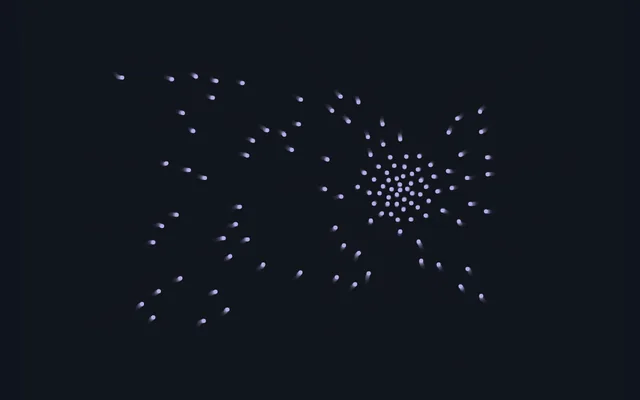
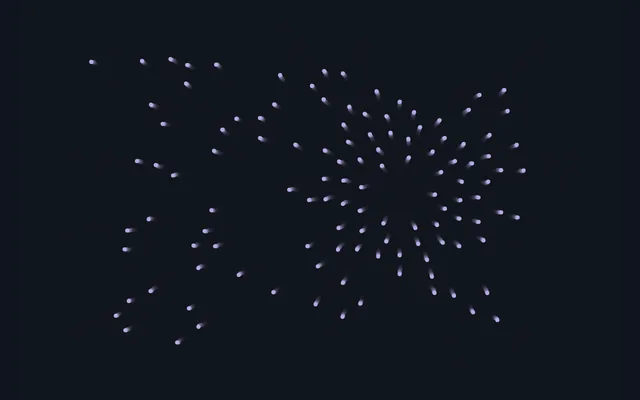
The sketch below is a complete interactive generative work in about thirty lines of p5.js. It combines the three ingredients from this guide: rules (a pull towards the pointer and a push away from close neighbours), chance (a small random wander) and input (the pointer, and a press that reverses the pull). It is a simplified cousin of boids.
// A crowd of dots: three rules, a little chance, and you.
const COUNT = 120;
const TOO_CLOSE = 18; // try 6, then 40
let dots = [];

function setup() {
  createCanvas(600, 400);
  for (let i = 0; i < COUNT; i++) dots.push(createVector(random(width), random(height)));
}

function draw() {
  background(16, 20, 31, 60);
  noStroke();
  fill(183, 171, 232);
  const pointer = createVector(mouseX, mouseY);
  for (const dot of dots) {
    // Rule 1: drift towards the pointer (away from it while you press).
    const pull = p5.Vector.sub(pointer, dot).setMag(0.6);
    if (mouseIsPressed) pull.mult(-1);
    // Rule 2: step away from any dot that is too close.
    const push = createVector(0, 0);
    for (const other of dots) {
      const gap = dot.dist(other);
      if (other !== dot && gap < TOO_CLOSE) push.add(p5.Vector.sub(dot, other).setMag(1 - gap / TOO_CLOSE));
    }
    // Rule 3: a little chance, so no two runs are the same.
    const wander = p5.Vector.random2D().mult(0.4);
    dot.add(pull).add(push).add(wander);
    circle(dot.x, dot.y, 4);
  }
}
How to recognise interactive generative art
When you meet a work, a few questions tell you what kind it is.
- Does anything change when nobody touches it? Often yes in generative work, though a generative piece can also wait for input or produce a single fixed output.
- Does it change because of you? If yes, it is interactive.
- Would the same action twice give exactly the same result? If not, chance or the system's state is doing some of the deciding.
- Can you learn it? In many good works you start to feel the rules after a minute: not a manual, but a sense of how the system behaves.
Who makes the result
In interactive generative art, the result has three contributors. The artist designs the rules and the range of what can happen. The system, with its starting conditions and its chance, decides countless details inside that range. And the visitor, by moving, pressing and letting go, chooses which of those possibilities appear. How much weight each one has is itself a design decision, and comparing works on that axis is one of the most revealing ways to look at them.
For the broader family of works that respond to their audience, from Duchamp to Rain Room, see the guide to what interactive art is. For systems you can try right now in a browser, including Silk and Blob Opera, see the selection of cool interactive websites.